Supplier notification automation
A global medical device manufacturer's supply chain team was manually emailing ~50 suppliers every week about past-due and upcoming purchase orders. We replaced it with a one-click Power Automate system with built-in urgency signaling and an audit trail.
The Context
A supply chain team inside a global medical device manufacturer was keeping around 50 suppliers aware of two things every week: purchase orders that had passed their delivery date, and POs about to come due in the next seven days. The process was entirely manual: a buyer copy-pasting PO numbers from an open-order export into individual emails, roughly 140 open line items per week, with inconsistent tone and no audit trail of who had been notified. The team had standardized on SharePoint Online for PO data and Outlook for outreach, so any fix had to live inside that stack, with no new infrastructure and no new tools to learn.
The Solution
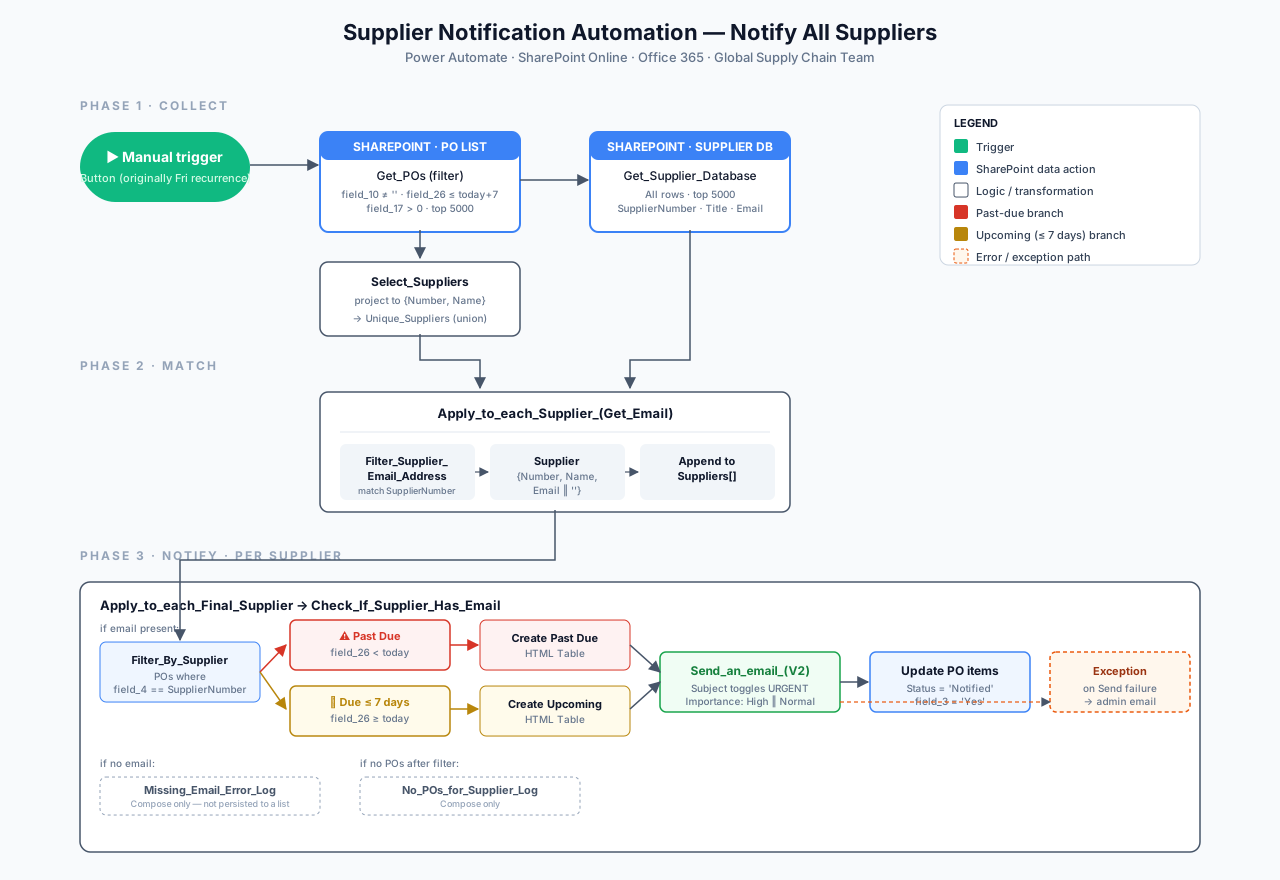
We built three coordinated Power Automate flows that turned a weekly manual ritual into a one-click system, with urgency and accountability designed into the email itself.
Three coordinated flows
A bulk "notify all suppliers" flow, a one-supplier on-demand flow triggered straight from the SharePoint list, and a reset utility that clears the PO list before each weekly data reload.
Two-tier urgency email
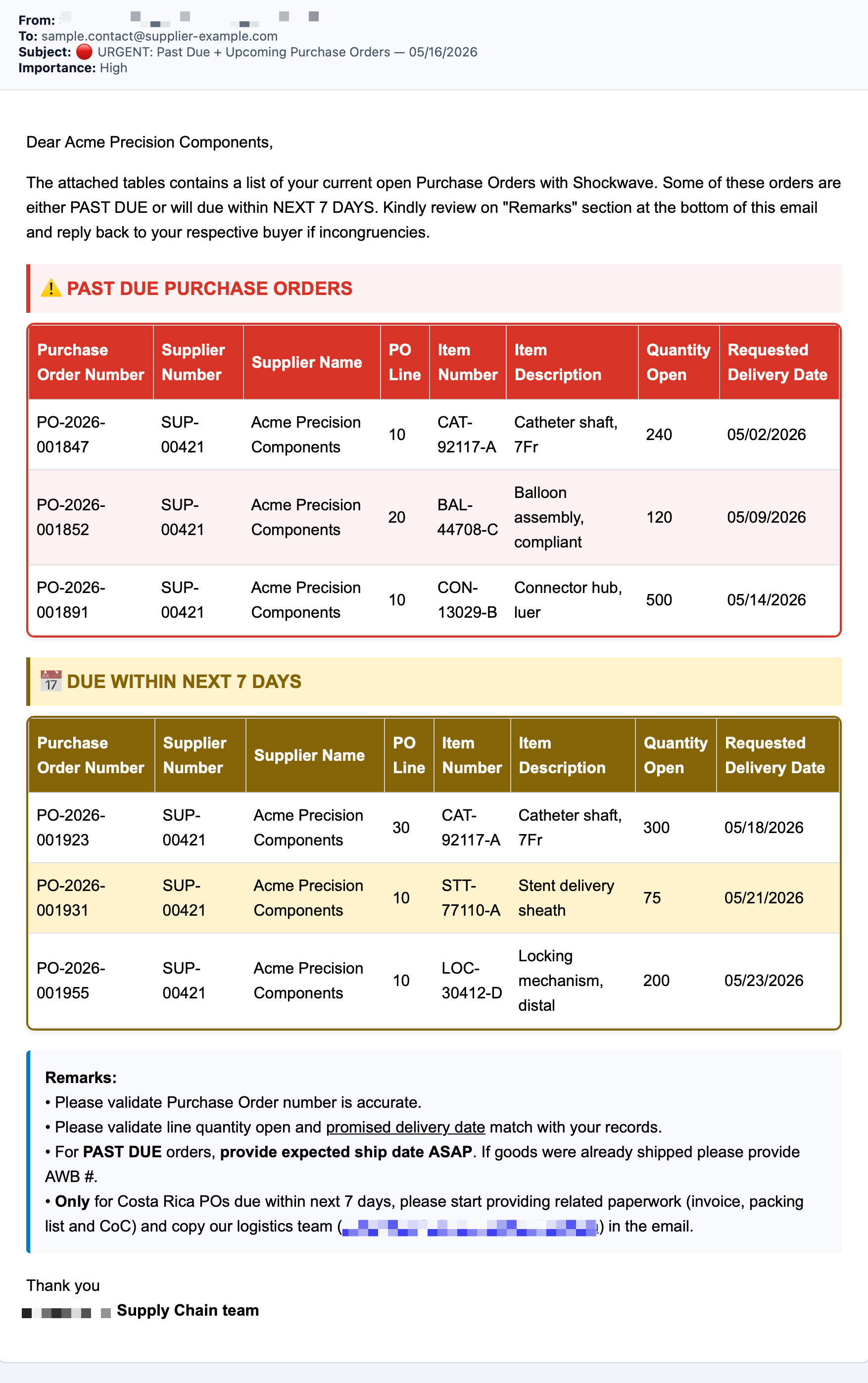
Each supplier gets one consolidated email with a red past-due table and a yellow due-soon table; subject line and Outlook importance flag flip to URGENT / High whenever past-due items exist.
Audit trail by design
Notified POs are marked Status = "Notified" in the same loop, giving the team an in-list record of who's been contacted without a separate tracking spreadsheet.
The Results
The weekly outreach that used to take a buyer an afternoon of copy-paste now runs in one click, with the inbox itself doing the prioritization.